Built-in browser
Address bar and search in one field, back and forward navigation, history, saved pages, and website sign-in flows that work as expected.
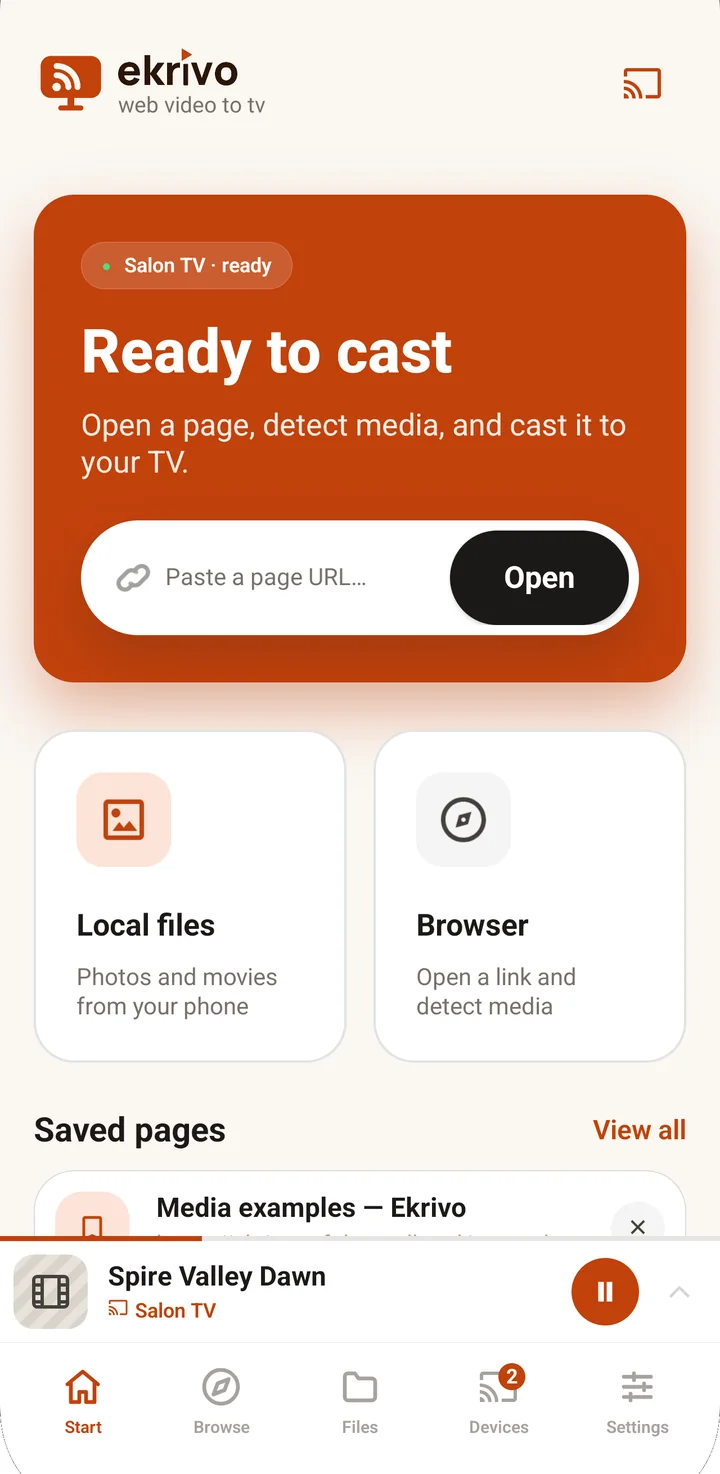
Web video to TV
Open a page in Ekrivo, start the video, and send supported media to your Chromecast or Google TV. Ekrivo picks the best available source and tells you plainly when a stream can’t be cast.
How it works
Step 1
Use the built-in browser exactly as you would any other: address bar, navigation, history and saved pages.
Step 2
Ekrivo groups the variants it finds and recommends the best one, with resolution, format and subtitles shown plainly.
Step 3
One tap on Cast to TV. You are asked to choose a receiver only when no session is running.
Features
Address bar and search in one field, back and forward navigation, history, saved pages, and website sign-in flows that work as expected.
Progressive MP4, HLS and DASH, with variants of the same title grouped into a single recommendation.
WebVTT out of the box, automatic SRT conversion, and a clear choice when a page offers several tracks.
Send a video or a photo straight from your phone through the Android picker — no upload, no account.
Cast button, mini controller, expanded player, notification and lock screen, volume and reconnect after a network change.
Light and dark themes, large text, TalkBack support, both orientations, in Polish and English.
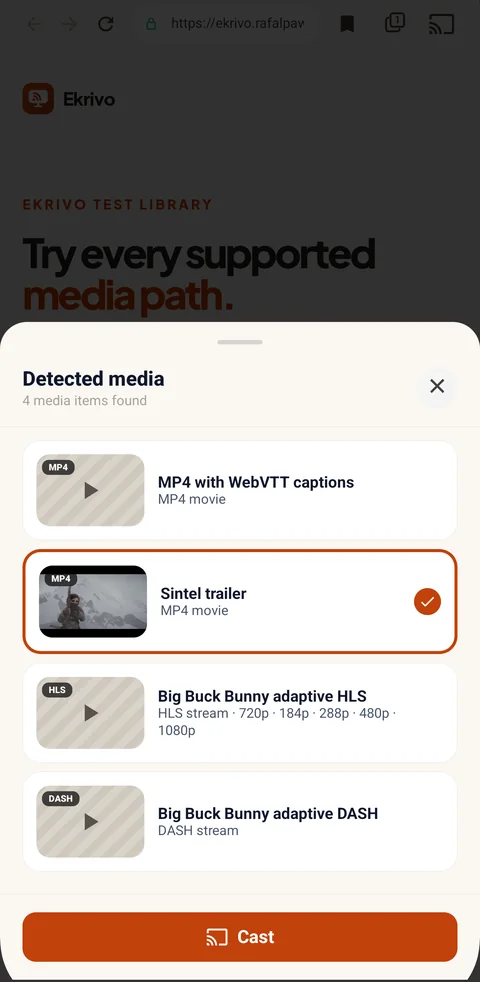
Media found on the open page, grouped and ranked.
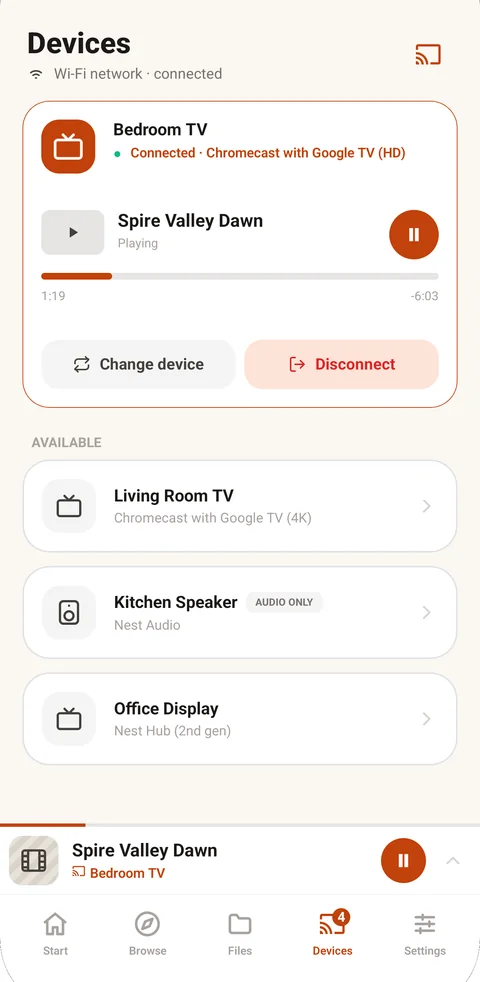
Your receivers and the running session in one place.
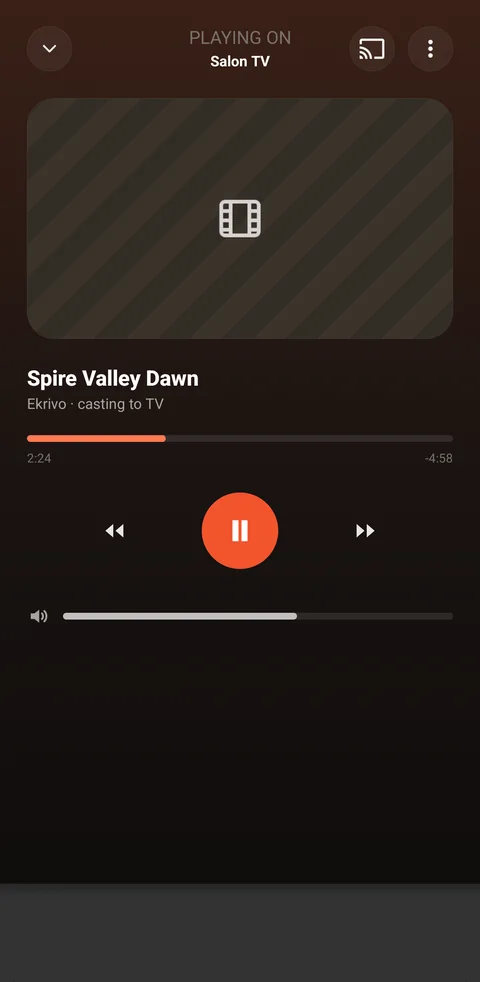
Full controls, volume and subtitles while casting.
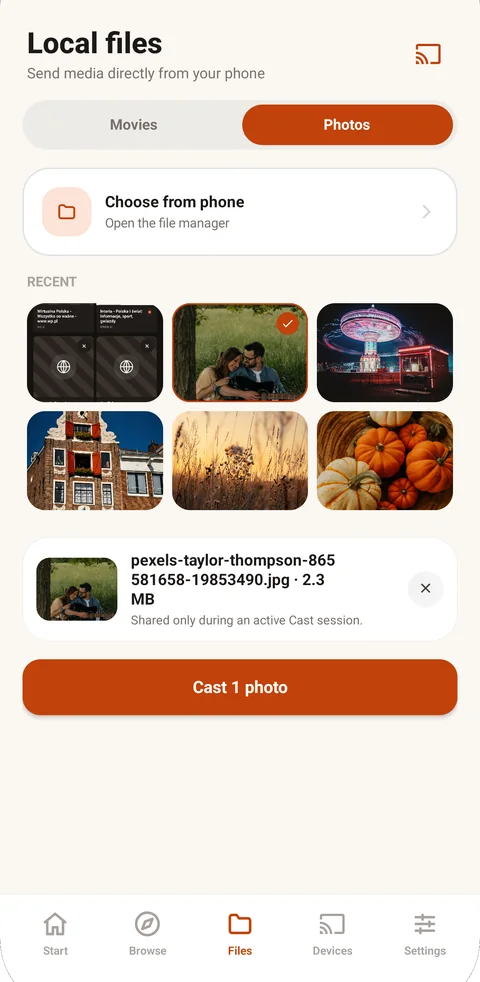
Photos and videos sent straight from the phone.
Privacy
Ekrivo works on your phone and your local network. History and saved pages stay on the device, and you can clear browsing data at any time.
No full-screen ads and nothing injected into the pages you browse.
Firebase Analytics and Crashlytics help improve reliability. Crash reports never include credentials or browsing history.
History, saved pages and settings live on the device and can be cleared in a few taps.
No sign-up, no cloud sync, no browsing data for sale.
Limits
Compatibility depends on the format, codec, service, network and receiver. We’d rather say that plainly than promise video on every site.
Ekrivo never bypasses DRM, paywalls, geoblocking or access control.
Media is sent to the receiver, so your phone stays free to use.
Nothing is stored for offline playback.
If your receiver cannot decode a codec, the stream cannot play.
AirPlay, DLNA, Roku and Fire TV are not part of 1.0.
FAQ
Unprotected, publicly reachable MP4, HLS and DASH streams, plus photos and videos stored on your phone. If a page serves something the receiver cannot play, Ekrivo says so instead of failing silently.
No. Streaming services can use DRM or protected playback, which Ekrivo deliberately does not bypass.
YouTube controls its playback and receiver connection. Ekrivo opens the video in the official YouTube app or browser so you can use YouTube’s own Cast button; it does not copy or bypass YouTube’s protected stream.
You need a Chromecast, Chromecast built-in device, or compatible Google TV on the same network.
Some sources need the phone to relay an authenticated request. Ekrivo shows when it uses this compatibility path.
Pages can expose WebVTT, HLS or SRT tracks. Ekrivo shows compatible tracks and can prepare source-backed SRT subtitles for casting.
Not yet. Ekrivo 1.0 is built for Android.